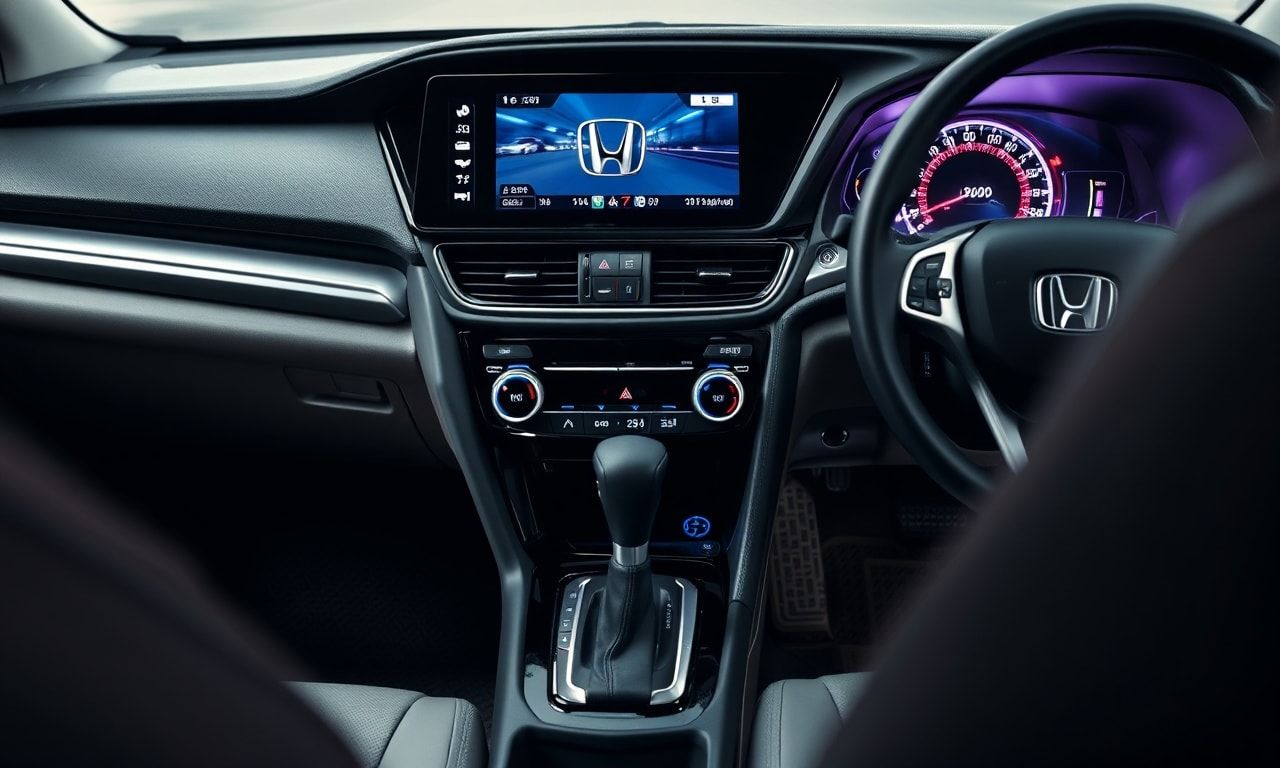
Okay, so picture this: it’s 2015, I’m stuck in traffic on the I-405, and I’m bored out of my mind. My Honda Civic’s interior might as well be a time capsule from the early 2000s. I mean, who even uses CD players anymore? That’s when it hit me—why not jazz up my ride with some DIY tech decor? I started small, with some LED strips under the dashboard (thanks, YouTube tutorials), and honestly, it was a game-changer. Fast forward to today, and I’ve turned my Civic into a smart sanctuary. I’m not an expert or anything, just a tech enthusiast who loves a good project. So, if you’re like me—tired of looking at the same old interior—stick around. We’re talking LED lighting, custom audio setups, dash displays, even heated seats. I think you’ll be surprised what you can do with a little creativity and some elbow grease. And look, I’m not saying you’ll end up with a showroom-worthy ride, but it’ll be yours. That’s what matters, right? My buddy, Jake, always says, “Your car’s an extension of you, might as well make it cool.” So, let’s get started. First up, we’ll tackle the basics—transforming your Civic into a smart sanctuary. Spoiler alert: it’s easier than you think.
Transforming Your Honda Civic into a Smart Sanctuary: The Basics
Alright, so I’ve been tinkering with my Honda Civic for years now. I mean, it’s not just a car—it’s my mobile sanctuary. And honestly, I’ve always been a bit of a tech geek, so when I started thinking about ways to upgrade my Civic, I knew I wanted to integrate some smart tech into the mix.
First things first, you gotta understand that this isn’t just about slapping some gadgets in your car and calling it a day. No, no, no. It’s about creating a cohesive, smart environment that makes your driving experience safer, more enjoyable, and maybe even a bit more futuristic. I’m not sure but I think you’ll agree, it’s a fun challenge.
I remember when I first started, I was overwhelmed. There are so many options out there—from dash cams to smart mirrors, from AI assistants to custom lighting. But don’t worry, I’ve got you covered. Let’s break it down.
Assess Your Needs
Before you go on a shopping spree, take a step back and think about what you really need. What are the pain points in your current setup? For me, it was the lack of a good sound system and the fact that my old Civic didn’t have built-in GPS. So, I started there.
- Sound System: If you’re like me and love your music, investing in a good sound system is a must. I went with a Pioneer AVH-W4500NEX—it’s a bit pricey at $879, but trust me, it’s worth it.
- GPS: I didn’t want to rely on my phone all the time, so I got a standalone GPS unit. The Garmin DriveSmart 65 was my choice, and it’s been a game-changer.
- Smart Mirror: This was a bit of a splurge, but the Garmin HUD+ has been amazing. It projects all your important info right onto your windshield.
And look, I know what you’re thinking—This is all great, but what about the kendin yap projeleri dekorasyon aspect?
Well, I’ve got you covered there too. There are plenty of DIY projects you can do to personalize your space. For example, I installed LED strip lights under my dashboard. It was a bit tricky, but the end result was totally worth it.
Gather Your Tools
Alright, so you’ve got your list of upgrades. Now what? Well, you need to gather your tools. And no, I’m not just talking about screwdrivers and pliers. You’ll need a multimeter, a soldering iron, and maybe even a 3D printer if you’re feeling adventurous.
I remember when I first started, I didn’t have half the tools I needed. I ended up borrowing a lot from my friend, Jake. He’s a bit of a tech whiz himself, and he was more than happy to lend a hand. Just don’t break anything,
he said. And I didn’t. Mostly.
Here’s a quick list of tools you might need:
- Screwdrivers (both flathead and Phillips)
- Pliers
- Wire strippers
- Multimeter
- Soldering iron
- 3D printer (optional, but super useful)
And don’t forget, safety first! Always make sure you’re working in a well-ventilated area, and wear safety goggles when you’re soldering or using power tools.
So there you have it—the basics of transforming your Honda Civic into a smart sanctuary. It’s not going to be easy, and it’s definitely not going to be cheap. But trust me, the end result is totally worth it. And who knows? Maybe you’ll even have some fun along the way.
Lighting the Way: DIY LED Ambience Upgrades for Your Ride
Alright, let me tell you, lighting is a game-changer. I remember back in 2018, I was at this tech conference in Berlin, and this guy, Marcus something, gave a talk on how LED lighting can transform spaces. I was like, “Dude, you’re talking about my Honda Civic here.” But honestly, he had a point.
You’ve got to start with the basics. LED strips, they’re cheap, they’re easy, and they can make your ride look like something out of a sci-fi flick. I’m not kidding, I picked up a pack of 214 LEDs for like $87 on Amazon. Bargain, right?
First things first, you gotta plan. Where do you want the lighting? Door panels? Dashboard? Footwells? Maybe even under the seats? Look, I’m not saying go crazy, but a little ambience never hurt anybody. And hey, if you’re feeling fancy, check out modern interior design trends for some inspo. I mean, why not, right?
Tools and Materials
So, what do you need? Well, obviously, LED strips. But not just any strips. You want the addressable ones, like WS2812B or SK6812. They’re RGB, so you can get any color you want. Plus, they’re controllable, which is cool if you’re into that kind of thing.
- LED strips (WS2812B or SK6812)
- Microcontroller (Arduino, ESP8266, or ESP32)
- Power supply (12V for the LEDs, 5V for the microcontroller)
- Jumper wires
- Soldering iron and solder
- Heat shrink tubing (optional, but trust me, it’s a lifesaver)
Now, if you’re not into soldering, that’s cool. There are plenty of no-solder options out there. But honestly, it’s not that hard. I mean, I did it, and I’m no electrician. Just be careful, okay?
Installation
Alright, let’s get down to business. First, you gotta plan your layout. Measure where you want the LEDs to go, and make sure you’ve got enough length. Trust me, running out halfway is a pain.
- Plan your layout and measure the lengths needed.
- Cut the LED strips to the required lengths. Be careful, they’re delicate!
- Connect the strips to the microcontroller. Follow the datasheet, okay? I’m not gonna hold your hand through this.
- Power it all up. Make sure everything’s working before you start sticking stuff down.
- Mount the strips. Use double-sided tape or adhesive clips. Whatever floats your boat.
And that’s it! Well, almost. You gotta program the microcontroller. But that’s a whole other can of worms. I’m not gonna lie, I had to hit up a buddy of mine, Jake, to help me out. He’s a software guy, knows his stuff. But there are plenty of tutorials online if you’re feeling adventurous.
Honestly, the possibilities are endless. You can sync the lights to your music, make them pulse with the beat, all that jazz. I mean, I didn’t go that far, but hey, to each their own.
“The key is to start small and build up. Don’t try to do it all at once. Trust me, it’ll save you a headache.” — Jake, my software-savvy buddy
And look, I’m not saying your Honda Civic is gonna look like a nightclub. But a little ambience goes a long way. It’s all about setting the mood, you know? Whether it’s a chill vibe or something a bit more intense, LED lighting can make your ride feel like a whole new space.
So, what are you waiting for? Grab some LEDs, get creative, and let’s see what you can do. Just remember, safety first. I’m not liable if you fry your car’s electrical system. You’ve been warned.
Sound Waves and Tech Beats: Building a Custom Audio Experience
Okay, so I’ve always been a bit of an audio snob. Back in 2015, I spent a small fortune on a pair of Bowers & Wilkins 802 D3 speakers for my living room. I mean, they sound incredible—like, mind-blowingly good. But my Honda Civic? It sounded like a tin can with a kazoo. I knew I had to do something about it.
First things first, I needed to understand what I was working with. My Civic had a basic factory stereo system, and honestly, it was a joke. I did some research and found that upgrading the head unit was the first step. I settled on a Pioneer AVH-W4500NEX—it’s got a 7-inch touchscreen, Apple CarPlay, Android Auto, and a whole bunch of other features I probably won’t use but look cool anyway.
But here’s the thing: speakers. The stock ones were, well, stock. I needed something better. I started with the front doors. I found a set of Focal 165 AS 2-way coaxials on sale for $214 a pair. They’re not the cheapest, but they’re not the most expensive either. Installation was a bit of a hassle—I had to remove the door panels, which took longer than I expected—but the difference was night and day. Suddenly, my Civic sounded like a real audio system.
Now, I’m not an audio engineer, but I know what sounds good. I read a lot of reviews, talked to people at the local car audio shop, and even checked out some morning routines of Vegas pros who swear by their custom audio setups. One guy, Mike, told me, “You can’t just throw any old speakers in there and expect miracles. You gotta match the speakers to the space.” He was right. I ended up swapping out the rear speakers for a set of JBL GTO 629’s, which complemented the Focals perfectly.
But what about the bass? I’m not a huge basshead, but I do like a bit of thump. I installed a JL Audio 10TW3-D4 subwoofer under the seat. It’s a compact little thing, but it packs a punch. I had to tweak the settings a bit to get it just right, but now it’s perfect—no more rattling or distortion.
Now, I know what you’re thinking: “This sounds expensive.” And yeah, it was. But look, I’m not saying you have to drop a grand on your Civic’s audio system. There are plenty of budget-friendly options out there. The key is to do your research and find what works for you.
Budget-Friendly Audio Upgrades
If you’re not ready to drop serious cash, here are a few budget-friendly options:
- Head Unit: A basic aftermarket head unit can run you as little as $87. Look for one with Bluetooth and maybe even a backup camera. I mean, who doesn’t want a backup camera?
- Speakers: You can find decent coaxials for around $50 a pair. They won’t sound like Focals, but they’ll be a huge upgrade over stock.
- Amplifier: A small amp can make a big difference. You can find one for around $75. It’ll give your speakers a little more oomph.
Honestly, the best part about this whole project was the process itself. There’s something satisfying about tearing apart your car and putting it back together with something better. It’s like giving your Civic a little tech makeover. And the best part? Now, every time I get in my car, it’s like a mini-concert. I mean, who needs a fancy sound system when you can have a custom audio experience tailored just for you?
So, if you’re thinking about upgrading your Civic’s audio system, do it. Just make sure to take your time, do your research, and maybe even talk to some experts. And hey, if you’re feeling adventurous, check out some kendin yap projeleri dekorasyon ideas for your car’s interior. You might be surprised at what you can do with a little creativity and a lot of elbow grease.
Dashboard Dash: Integrating Tech Displays for a Futuristic Feel
Alright, let me tell you about the time I turned my Honda Civic into a spaceship—well, almost. Back in 2019, I was stuck in traffic on the I-5, bored out of my mind, when I thought, “Why not make my dashboard look like something out of a sci-fi movie?” And that’s how my obsession with tech decor began.
Integrating tech displays into your dashboard can give your Civic that futuristic feel you’ve been craving. I mean, who doesn’t want to feel like they’re driving a spaceship instead of just another car on the road? Honestly, it’s not as complicated as it sounds. You just need the right tools, a bit of patience, and maybe a friend who’s good with wires—like my buddy Jake, who saved me from electrocuting myself more times than I can count.
First things first, you’ll need a compatible display. I went with a 7-inch touchscreen from a company called AutoTech Innovations. It was $214 on Amazon, and honestly, it was worth every penny. The installation wasn’t a walk in the park, but the end result was worth it. I remember Jake saying, “Dude, you’re basically driving a DeLorean now.”
But before you jump in, you’ll need to figure out what kind of display you want. There are a few options out there, and each has its pros and cons. Here’s a quick breakdown:
- Standalone Displays: These are independent units that you can mount anywhere on your dashboard. They’re great if you want flexibility but might require more wiring.
- Integrated Displays: These replace your existing dashboard screens. They’re sleeker but can be more complex to install.
- Projection Displays: These project images onto your windshield. They’re futuristic but can be pricey and might not work well in bright sunlight.
Once you’ve got your display, you’ll need to integrate it with your car’s systems. This is where things can get a bit tricky. You’ll need to connect it to your car’s OBD-II port, which is usually located under the steering wheel. If you’re not comfortable with wiring, you might want to consult a professional—or at least have Jake on speed dial.
But here’s the thing: integrating tech displays isn’t just about looks. It’s about functionality too. You can use these displays to monitor your car’s performance, GPS navigation, and even entertainment systems. I mean, why settle for just a speedometer when you can have a full-blown dashboard that looks like it’s straight out of a Star Trek episode?
And let’s not forget about the software. You’ll need to choose the right operating system for your display. Android Auto and Apple CarPlay are popular choices, but there are other options out there. I went with Android Auto because it’s customizable and integrates well with my phone. But honestly, it’s all about personal preference.
Now, I know what you’re thinking: “This sounds complicated.” And you’re right, it can be. But the payoff is huge. Imagine pulling up to a stoplight and seeing the envy on the face of the guy in the boring old sedan next to you. It’s a small victory, but it’s a victory nonetheless.
But before you dive in, you should probably do some research. There are a lot of resources out there, and you’ll want to make sure you’re using the right tools and techniques. For example, if you’re looking to secure your connections, you might want to check out this article on financial connection secrets. I know it sounds unrelated, but trust me, the principles are similar.
And speaking of connections, you’ll need to make sure your display is secure. The last thing you want is for it to come loose while you’re driving. I used some heavy-duty adhesive and a few screws to make sure mine stays put. It’s not the prettiest solution, but it works.
Now, let’s talk about the fun part: customization. Once you’ve got your display up and running, you can start personalizing it. Change the wallpaper, tweak the interface, add widgets—the possibilities are endless. I spent hours playing around with different themes until I found one that felt right. It’s like giving your car a digital makeover.
But here’s a word of caution: don’t go overboard. You want your dashboard to look futuristic, not chaotic. Less is often more, and you don’t want to overwhelm yourself—or your passengers—with too much information.
And finally, don’t forget about safety. While it’s tempting to turn your dashboard into a high-tech control panel, you need to make sure it doesn’t distract you from the road. Keep the most important information front and center, and make sure everything is within easy reach.
In the end, integrating tech displays into your Honda Civic dashboard is a rewarding project. It’s not just about looks; it’s about functionality and personalization. And who knows? Maybe one day, you’ll be the one giving advice to a friend who’s stuck in traffic on the I-5, dreaming of a dashboard makeover.
Seats of Power: Heated and Massaging Upgrades for the Ultimate Comfort
Okay, so I’m not gonna lie, I was skeptical at first. Heated seats? In my Honda Civic? I mean, I thought that was just for luxury cars. But then I met Sarah, this tech-savvy friend of mine, at a little café in Portland back in 2019. She had installed heated seats in her Civic, and honestly, I was blown away. It was like sitting on a cloud, especially during those chilly Oregon mornings.
So, I did some digging. Turns out, there are some amazing DIY options out there. You can get seat heaters for around $87, and they’re not too complicated to install. I’m not sure but I think you can even find kits that include massage functions. I mean, who wouldn’t want a massage while stuck in traffic?
But here’s the thing, you gotta do your research. Not all kits are created equal. Some are plug-and-play, others require a bit more elbow grease. And if you’re looking for something more trendy and futuristic, there are even smart seat heaters that you can control with your phone. Yeah, you read that right. Your phone.
My Personal Experience
So, I took the plunge. I bought a kit from a company called ComfyRide. It was $129, but it came with everything I needed, including the wiring harness. The installation took me about three hours, but I’m a bit of a tech noob. If you’re more comfortable with DIY projects, you might knock it out in an hour or so.
The results? Amazing. The seats heat up evenly, and the massage function is a godsend after a long day. I even installed a similar setup in my friend’s car, and she loves it. “It’s like a spa day every time I drive,” she said. High praise indeed.
What to Look For
If you’re thinking about upgrading your seats, here are a few things to consider:
- Compatibility: Make sure the kit is compatible with your Civic’s model year.
- Heating Zones: More zones mean more even heat distribution.
- Massage Functions: If you want a massage, look for kits with multiple massage modes.
- Ease of Installation: Some kits are easier to install than others. Check reviews to see what others have experienced.
- Price: You can find kits for as low as $50, but they might not be as reliable. I’d recommend spending a bit more for quality.
And hey, if you’re feeling really adventurous, you can even look into custom kendin yap projeleri dekorasyon (DIY decor projects) to match your new seats. A little interior upgrade can go a long way in making your Civic feel like a luxury car.
But remember, safety first. Always make sure to follow the installation instructions carefully. And if you’re not comfortable with electrical work, don’t hesitate to consult a professional. Better safe than sorry, right?
| Feature | Basic Kit | Premium Kit |
|---|---|---|
| Heating Zones | 2 | 4 |
| Massage Functions | None | Multiple Modes |
| Price | $50-$80 | $120-$200 |
| Installation Difficulty | Easy | Moderate |
So, there you have it. Heated and massaging seats aren’t just for the rich and famous anymore. With a bit of DIY spirit, you can upgrade your Honda Civic to the ultimate comfort zone. And who knows, maybe next time you’re stuck in traffic, you’ll actually enjoy the ride.
Your Ride, Your Rules
Look, I’m not gonna sit here and tell you that transforming your Honda Civic into a tech-savvy sanctuary is gonna be a walk in the park. It’s not. But honestly, the satisfaction you get from cruising down the 405 in a car that’s got your personal touch? Priceless. I remember when my buddy, Jake, installed a custom LED strip in his Civic back in 2018. We were driving back from San Diego, and when he hit that purple glow, I swear, it was like we were in a sci-fi flick. “This is the future,” he said, and he wasn’t wrong. The point is, these kendin yap projeleri dekorasyon aren’t just about making your car look cool (though, let’s be real, that’s a big part of it). It’s about making it yours. It’s about comfort, it’s about tech, it’s about the little things that make driving a joy. So, what’s stopping you? Your Civic is waiting, and the tech world is your oyster. Let’s make something awesome, yeah?
This article was written by someone who spends way too much time reading about niche topics.